
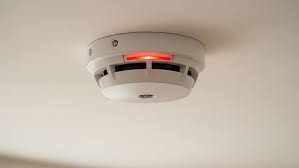
Why is my smoke detector blinking red is one of the most common home safety questions searched online.
If you have noticed a red light flashing on your smoke detector — with or without any sound — it does not always mean there is a fire.
Smoke detectors use blinking red lights to communicate several different things, from low battery warnings to normal standby operation.
Understanding what the red light means on your specific model can save you time, stress, and money.
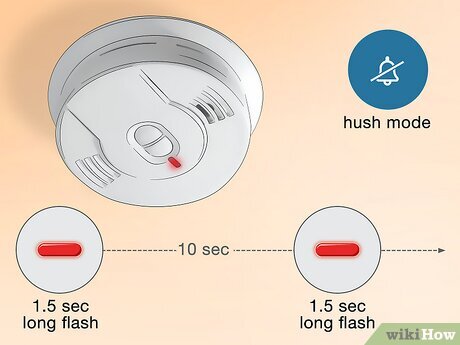
Most smoke detectors have a built-in LED indicator light. Manufacturers use this light to communicate the current status of the device.
The red light is not always a danger signal. In many cases it is a routine notification — your detector telling you it is working, needs a battery change, or has recently detected smoke.
The meaning of the blinking pattern depends on three things: the brand, the model, and the frequency of the flash.
Yes, in many cases a slow blinking red light is completely normal. Most smoke detectors blink a red light every 30 to 60 seconds during standby mode to confirm the unit is powered on and actively monitoring.
This slow, steady flash is your detector checking in. It is sometimes called the standby pulse or heartbeat blink.
If your detector has always done this and no alarm is sounding, there is likely nothing wrong.
There are seven core reasons a smoke detector blinks red. Each carries a different meaning and a different required action.
A red flash every 30 to 60 seconds typically means the detector is functioning correctly. This is a standard feature on most battery-powered and hardwired detectors.
It is the device confirming it has power and is actively scanning the air. No action is needed if the slow blink is the only signal.
Check your user manual to confirm what the standby pulse looks like for your specific model.
A blinking red light combined with a chirping beep every 30 to 40 seconds usually means the battery is low. This is one of the most common reasons homeowners notice the red light for the first time.
The chirp is the audible companion to the visual blink. Most detectors will continue this warning for at least seven days before fully losing power.
Replace the battery immediately with a fresh one. Always use the battery type specified in the user manual.
If your smoke detector is blinking red rapidly and the alarm is sounding at full volume, it has detected smoke. This is the most critical situation.
Do not silence or reset the alarm until you have checked your home for smoke or fire. Rapid blinking during an active alarm means the sensor is responding to real combustion products in the air.
If smoke or fire is confirmed and it is not safe to extinguish, evacuate immediately and call emergency services.
After a smoke alarm goes off, some smoke may still be floating near the detector. Many detectors continue to blink red during the period when smoke is clearing from the air.
This post-alarm blinking is normal and will stop once the air around the unit is clear. Opening windows and ventilating the area will speed up this process.
Do not remove the battery to stop this blinking as it may still be sensing residual smoke.
Over time, dust particles, pet hair, and household debris can accumulate inside the smoke detector’s sensing chamber. This buildup can interfere with the sensor and trigger false signals including a blinking red light.
Cleaning the detector annually with compressed air or a soft vacuum brush can prevent this. Many brands include a warning light specifically to indicate that debris is interfering with the sensor.
If cleaning resolves the blinking, schedule annual cleanings to prevent the issue from recurring.
Smoke detectors do not last forever. Most models have a lifespan of 8 to 10 years from the date of manufacture. When a detector reaches the end of its serviceable life, it will often blink red continuously or in an unusual pattern to signal that it needs to be replaced.
Check the manufacture date printed on the back of your detector. If the unit is 10 years old or more, replace it — even if it seems to be working.
An aging sensor can misread smoke levels and either cause false alarms or fail to detect a real fire.
Some detectors — particularly Kidde models — enter an alarm memory mode after sensing smoke. A red blink every 15 seconds with no accompanying chirp can indicate that the unit recorded a previous smoke event, even if you did not hear the alarm.
This mode is designed to help you identify which detector in an interconnected system was the first to trigger. Pressing and holding the Test/Reset button for 5 to 10 seconds usually clears the alarm memory.
If you see this pattern and did not experience a known smoke event, investigate your home for possible causes.
| Blinking Pattern | What It Means | Action Required |
|---|---|---|
| Slow blink every 30–60 seconds | Normal standby operation | None — device is working |
| Blink + chirp every 30–40 seconds | Low battery | Replace battery immediately |
| Rapid blink + loud alarm | Smoke or fire detected | Check for fire, evacuate if needed |
| Slow blink, no chirp, post-alarm | Lingering smoke in the area | Ventilate the room |
| Blink every 15 seconds, no sound | Alarm memory (recent detection) | Press reset button to clear |
| Continuous or irregular blinking | End of life or sensor fault | Replace the detector |
| Alternating red and green | Initialization or pairing mode | Wait a few minutes or reset |
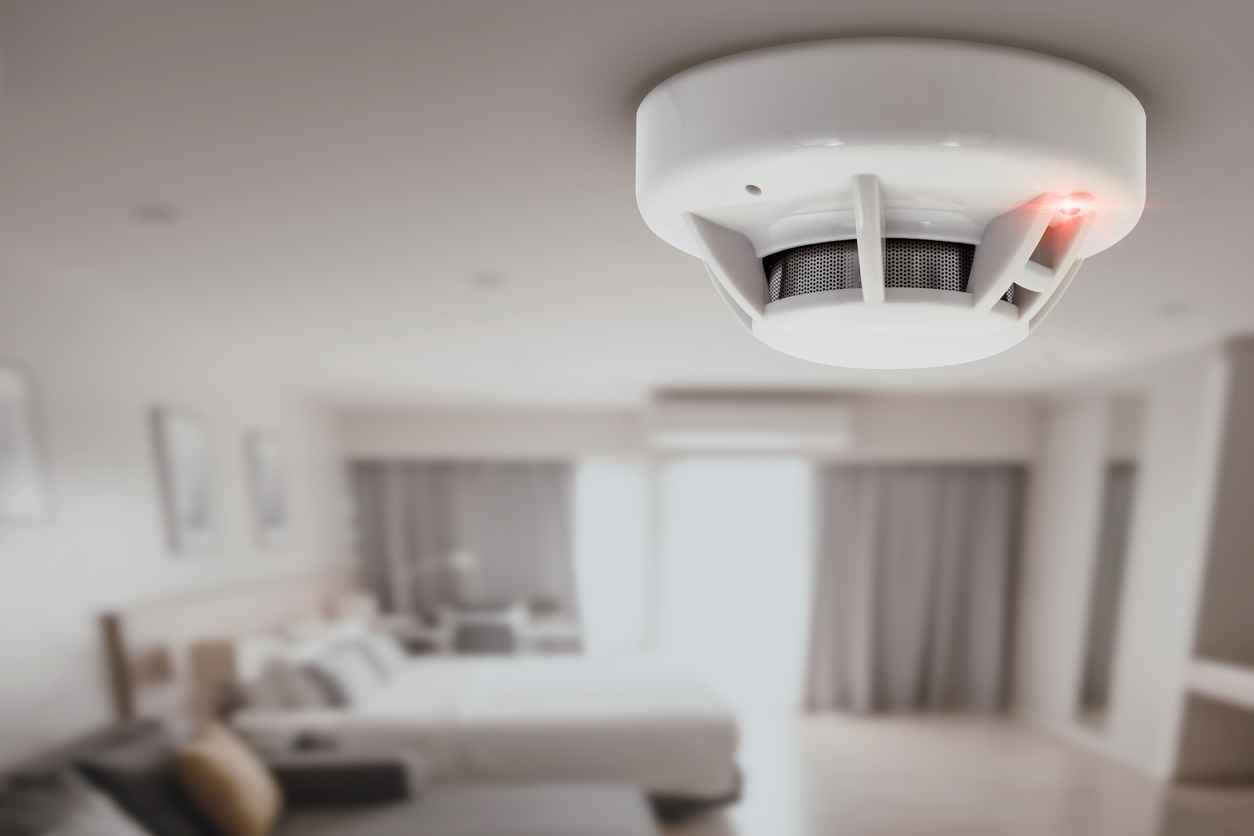
If your smoke detector is blinking red but not making any sound, it is most commonly a low battery warning. The visual blink may precede the audible chirp, especially in the early stages of battery depletion.
Another possibility is that the alarm’s sound was accidentally muted or the volume is set too low to hear. Check if the device has a Hush or Silence mode activated.
Some models also blink red during normal operation without any sound — this is simply the standby heartbeat.
If you just replaced the battery and the red light is still blinking, there are a few possible explanations.
The new battery may not have full charge. Batteries stored for a long time can lose power before they are even installed. Try a brand-new battery fresh from a sealed package.
The detector may also need to be reset after a battery change. Hold down the Test button for 15 to 20 seconds after installing the battery to reset the unit.
If blinking continues after these steps, the detector itself may be faulty or at end of life.
A red flash exactly every 30 seconds is almost always normal standby operation. This is the most frequently reported pattern and the one that causes the most unnecessary concern.
Kidde detectors are specifically designed to flash the red LED every 30 to 40 seconds during standby to confirm active monitoring. This behavior is documented in their official product manuals.
If the blink is steady and predictable, and there is no chirp or alarm, your detector is working as intended.
A faster blink rate — every 10 to 15 seconds — is worth paying attention to. This pattern can indicate a stored alarm event in memory, a sensor malfunction, or the device entering an error state.
On Kidde combination smoke and CO alarms, a red blink every 15 seconds specifically signals that the unit has an alarm memory — it detected smoke at some point and stored the event.
Check your user manual for the exact meaning for your model. If you cannot determine the cause, reset the device and monitor for changes.
If your detector is alternating between red and green lights, it is most likely in initialization mode. This happens after a battery change or power restoration when the unit is running a self-test.
Smart detectors like the Nest Protect or Kidde smart alarms may also show alternating lights when pairing with a Wi-Fi network or app.
Wait a few minutes for the initialization to complete. If the alternating lights persist for more than five minutes, consult the user manual or perform a full reset.
Different brands program their red light behavior differently. Knowing your brand’s conventions helps you interpret the signal correctly.
Kidde detectors flash the red LED every 30 to 40 seconds during normal standby. A flash every 15 seconds with no sound indicates alarm memory — the unit detected smoke previously. Rapid flashing during an alarm means the sensor is detecting combustion in real time.
To reset after an alarm, hold the Test/Silence button for 15 to 20 seconds until the flashing stops.
First Alert uses a similar standby pulse of one blink every 30 to 60 seconds. A fast blink or continuous red light typically indicates either an active alarm condition or an end-of-life signal.
First Alert detectors have a life expectancy of 10 years. The unit will signal end of life with a chirp pattern of five short beeps followed by a pause.
The Nest Protect uses a combination of light colors and spoken voice alerts rather than simple blinks. A red light on a Nest Protect is more urgent — it typically accompanies an emergency alert.
Second-generation Nest Protects must be replaced 10 years after the manufacture date. Google officially discontinued the Nest Protect and recommends the First Alert SC5 as a replacement for Google Home users.
Hardwired detectors blink red for the same general reasons as battery-powered units but also have additional considerations. A loss of AC power will cause some hardwired models to blink differently to signal they are running on backup battery.
If your hardwired detector is blinking and you have recently had a power outage, check that the unit has fully restored AC power connection.
| Brand | Normal Standby Blink | Low Battery Signal | End of Life Signal |
|---|---|---|---|
| Kidde | Every 30–40 seconds | Chirp every 30–40 sec + blink | Chirp pattern + replace indicator |
| First Alert | Every 30–60 seconds | Chirp every 30 sec + blink | 5 chirps + pause pattern |
| Nest Protect | LED + voice alert | App notification + chirp | End-of-life date alert in app |
| BRK | Every 30 seconds | Chirp + blink | Continuous chirp + blink |
| Generic/Store Brand | Every 30–60 seconds | Chirp + blink | Varies — check manual |
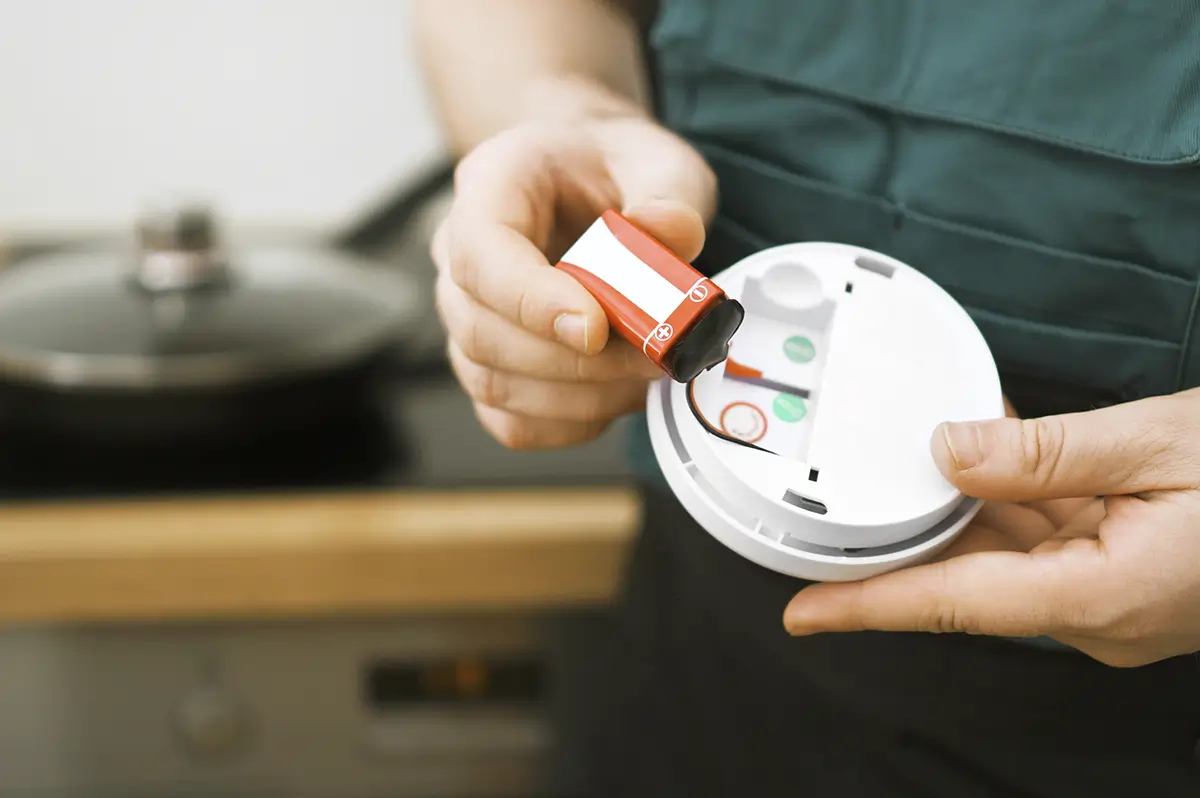
Resetting a smoke detector can clear false alerts, post-alarm blinking, and alarm memory signals. The process differs slightly depending on the type of detector.
For battery-powered detectors: Remove the battery, press and hold the Test button for 15 to 30 seconds to discharge residual power, then reinstall a fresh battery and press Test once to confirm operation.
For hardwired detectors: Turn off the circuit breaker that powers the detector. Disconnect the unit from the wiring harness and remove the backup battery. Press and hold the Test button for 15 to 30 seconds. Reconnect the wiring, reinstall the backup battery, and restore power at the breaker.
After any reset, test the alarm by pressing the Test button once. A single loud beep confirms the unit is working correctly.
Not all blinking red situations can be resolved with a battery change or a reset. There are specific conditions that require professional help or an immediate replacement.
Replace the detector if it is 10 years or older from the manufacture date, regardless of whether it seems to be working.
Call an electrician if your hardwired detector continues to blink abnormally after a reset, especially if the wiring connections look damaged or the unit frequently trips.
Replace the detector if it continues to blink after a battery change, a full reset, and cleaning — this indicates an internal sensor fault that cannot be fixed by the homeowner.
If your home has interconnected smoke detectors — where all units alarm when one detects smoke — the red blinking behavior may look different from a standalone unit.
In an interconnected system, only the detector that originally sensed the smoke will blink red rapidly. The other units in the system will sound the alarm but their red lights will behave normally.
This feature helps you locate the source of the smoke event in a multi-room or multi-floor home. The rapidly blinking unit is the one closest to the smoke.
Where your detector is placed can affect how often it blinks or triggers. Detectors placed near kitchens, bathrooms, or garages are more likely to respond to steam, cooking smoke, or exhaust fumes.
If your smoke detector is near a cooking area and blinks red frequently after meals, consider moving it slightly farther from the stove or upgrading to a detector with a cooking-specific sensitivity setting.
Detectors placed in humid areas like bathrooms can also respond to steam, causing the red light to blink without a real fire threat.
Keeping your smoke detector properly maintained reduces the chance of confusing or unnecessary red blinking. A few simple habits go a long way.
Test monthly: Press the Test button once each month to confirm the alarm sounds and the standby blink pattern is normal.
Clean annually: Use a can of compressed air or a soft brush vacuum attachment to clear dust from the detector vents once per year.
Replace batteries every 6 to 12 months: For models with replaceable batteries, change them at least once a year or immediately when the chirp warning begins.
Check the manufacture date: Look at the label on the back and note the production year. Schedule a replacement at the 10-year mark without exception.
Avoid paint or sprays near the sensor: Aerosol sprays and paint particles can block vents and cause persistent false signals.
Understanding how long your smoke detector lasts prevents you from relying on a unit that can no longer perform accurately.
| Detector Type | Recommended Lifespan | Key Replacement Signal |
|---|---|---|
| Standard battery-powered | 8–10 years | Chirp + end-of-life blink |
| Hardwired with battery backup | 8–10 years | Chirp + irregular blinking |
| Combination smoke and CO alarm | 7–10 years | CO sensor degrades faster |
| Smart detector (Nest, Kidde smart) | 10 years | App notification + chirp |
Most home insurance companies and fire safety organizations recommend replacing all smoke detectors in the home at the 10-year mark, even if the units appear functional. Aging sensors lose accuracy and may fail to detect smoke at dangerous levels.
The National Fire Protection Association recommends that smoke alarms be tested monthly and replaced every 10 years. Their guidelines also state that alarms should be installed on every level of the home, inside every bedroom, and outside each sleeping area.
The NFPA does not specify a universal meaning for red blinking lights because each manufacturer programs their indicator behavior differently. Always defer to the manufacturer’s user manual for model-specific light codes.
If you live in a rented property and your smoke detector is blinking red, notify your landlord or property manager immediately. In most jurisdictions, landlords are legally required to maintain functioning smoke detectors.
Do not remove or disable a smoke detector even if it is blinking in an annoying pattern. Disabling a smoke detector in a rental unit may violate local fire codes and your lease agreement.
Report the issue in writing so there is a record that the maintenance request was made.
| Symptom | Most Likely Cause | Recommended Fix |
|---|---|---|
| Blink every 30–60 sec, no sound | Normal standby | No action needed |
| Blink + chirp every 30 sec | Low battery | Replace battery |
| Rapid blink + loud alarm | Smoke detected | Check for fire, evacuate |
| Blink every 15 sec, no sound | Alarm memory stored | Hold reset button 5–10 sec |
| Alternating red and green | Initialization mode | Wait or reset device |
| Continuous red, no pattern | End of life or sensor fault | Replace the detector |
| Blink after battery change | Battery not fresh or reset needed | New battery + press Test 15 sec |
First, count the blink frequency. Slow blinks every 30 to 60 seconds are almost always normal standby operation.
Second, listen for any accompanying sounds. A chirp means low battery. A full alarm means smoke has been detected. Silence may indicate alarm memory or an end-of-life signal.
Third, check the manufacture date on the back of the unit. If it is 10 years or older, replace the detector regardless of the blinking pattern.
Fourth, replace the battery, clean the vents, and reset the unit if the blinking is unusual but no alarm is sounding. If the blinking persists after all these steps, replace the detector.
A red blink every 30 seconds is normal standby operation on most detectors. It means the unit is powered on and actively monitoring — no action is needed.
A silent red blink usually means the battery is in the early stages of low power, or the alarm is in standby mode. Check the battery and consult your user manual for the exact signal meaning.
Rapid red blinking during an active alarm means the sensor has detected smoke or combustion. Check your home immediately and evacuate if there is a fire.
The new battery may not be fully charged, or the detector needs a reset. Hold the Test button for 15 to 20 seconds after installing the battery to clear any stored error.
Not always. A slow blink is normal operation. A rapid blink with a sounding alarm is a danger signal. A slow blink with a chirp means low battery. Context and frequency matter.
A Kidde detector blinking every 15 seconds with no sound indicates alarm memory — the unit detected smoke at some point and stored the event. Hold the reset button for 5 to 10 seconds to clear it.
Alternating red and green lights indicate the detector is in initialization or self-test mode after a power restoration or battery change. Wait a few minutes for it to complete.
Replace the battery, clean the vents with compressed air, and hold the Test/Reset button for 15 to 30 seconds. If blinking continues, the unit may be at end of life and needs replacement.
Most smoke detectors should be replaced every 8 to 10 years from the manufacture date printed on the back of the unit. Aging sensors lose accuracy over time.
Not necessarily. Hardwired detectors also blink red during normal standby. However, if the blink pattern changes after a power outage or is accompanied by chirping, check the backup battery and wiring connections.
Why is my smoke detector blinking red is a question with many possible answers, and most of them are not emergencies. A slow blink every 30 to 60 seconds is simply your detector confirming it is on and working.
A blink paired with a chirp is a low battery warning that needs attention within a few days.
A rapid blink with a loud alarm is the signal that matters most — it means the sensor has detected smoke and you need to act immediately.
For all other patterns, checking the frequency of the blink, listening for accompanying sounds, and consulting your specific model’s user manual will point you to the right fix.
Replace batteries regularly, clean your detector annually, and replace the entire unit every 10 years without exception.
These simple habits ensure your smoke detector is always ready when it counts most.